SSH OS icon

Your servers,
as a desktop.

SSH OS turns every machine you can SSH or FTP into a familiar desktop: a Finder for your files, terminal tabs, an Activity Monitor, a code editor, complete Minecraft and Terraria server managers, and the Codex coding agent.

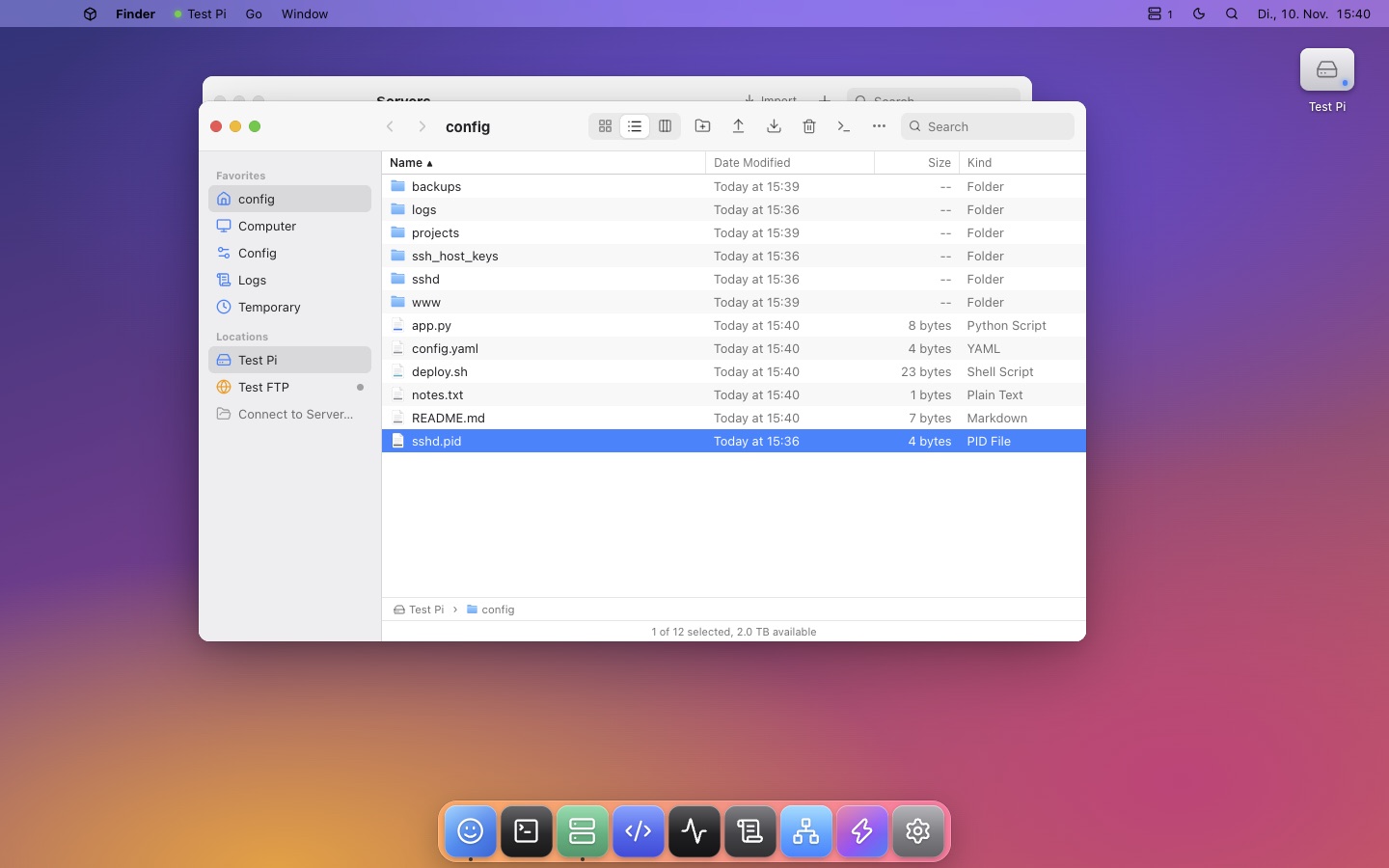
SSH OS desktop with the Finder showing a remote server's files
Everything in one window

A whole operating system for your servers.

Connect to as many machines as you like over SSH, SFTP, FTP or FTPS and work with them the way you work on your own computer.

Finder

Icon, list and column views, a sidebar of servers, Quick Look, Get Info with permissions, and drag and drop to upload. You can copy and paste between different servers.

Terminal

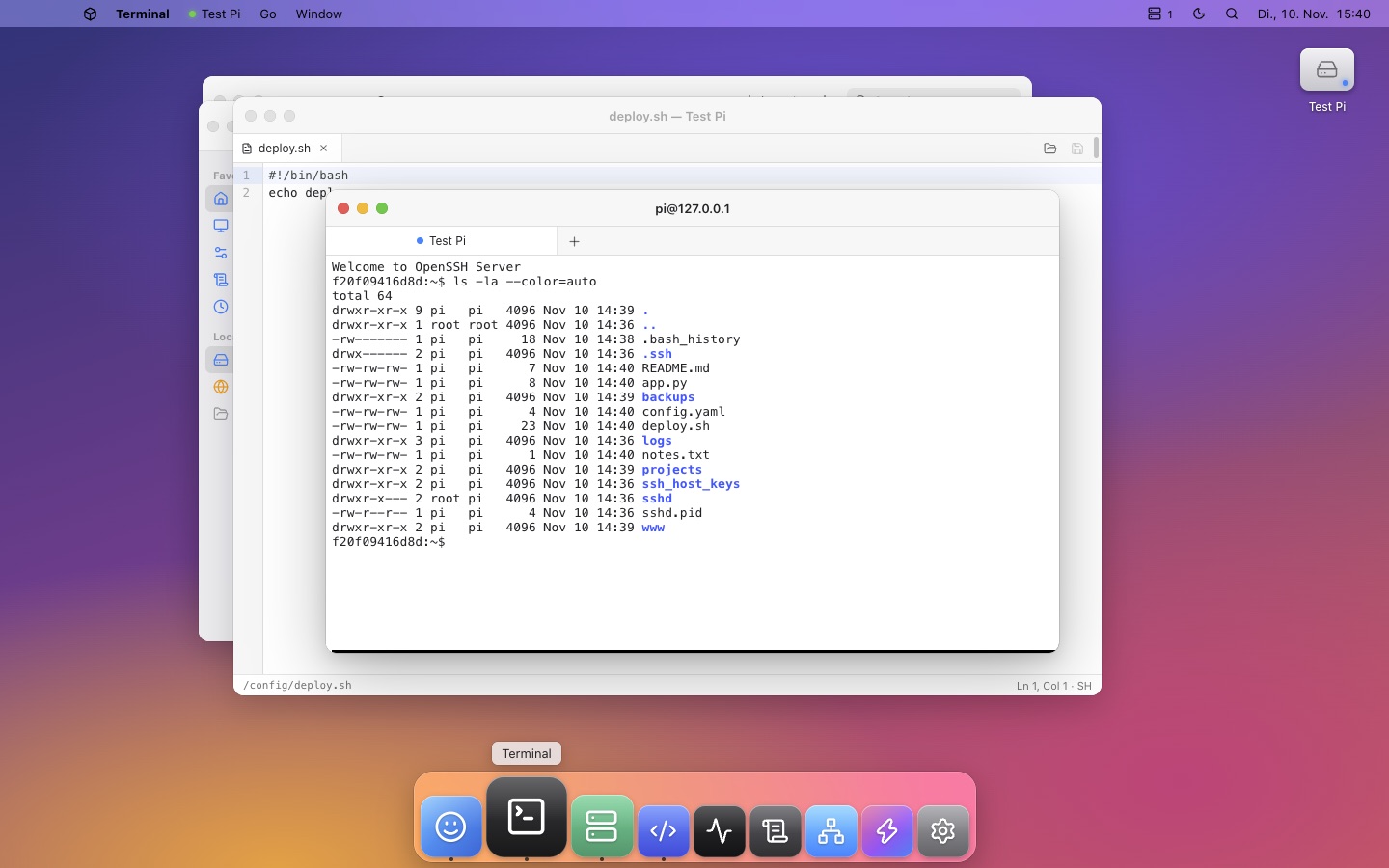
Fast xterm.js terminal with tabs. Each tab can be a different server. Includes themes and clickable links.

Multiple servers

Save unlimited servers and import them from ~/.ssh/config. Passwords are encrypted with the system keychain, and host keys are pinned on first connect.

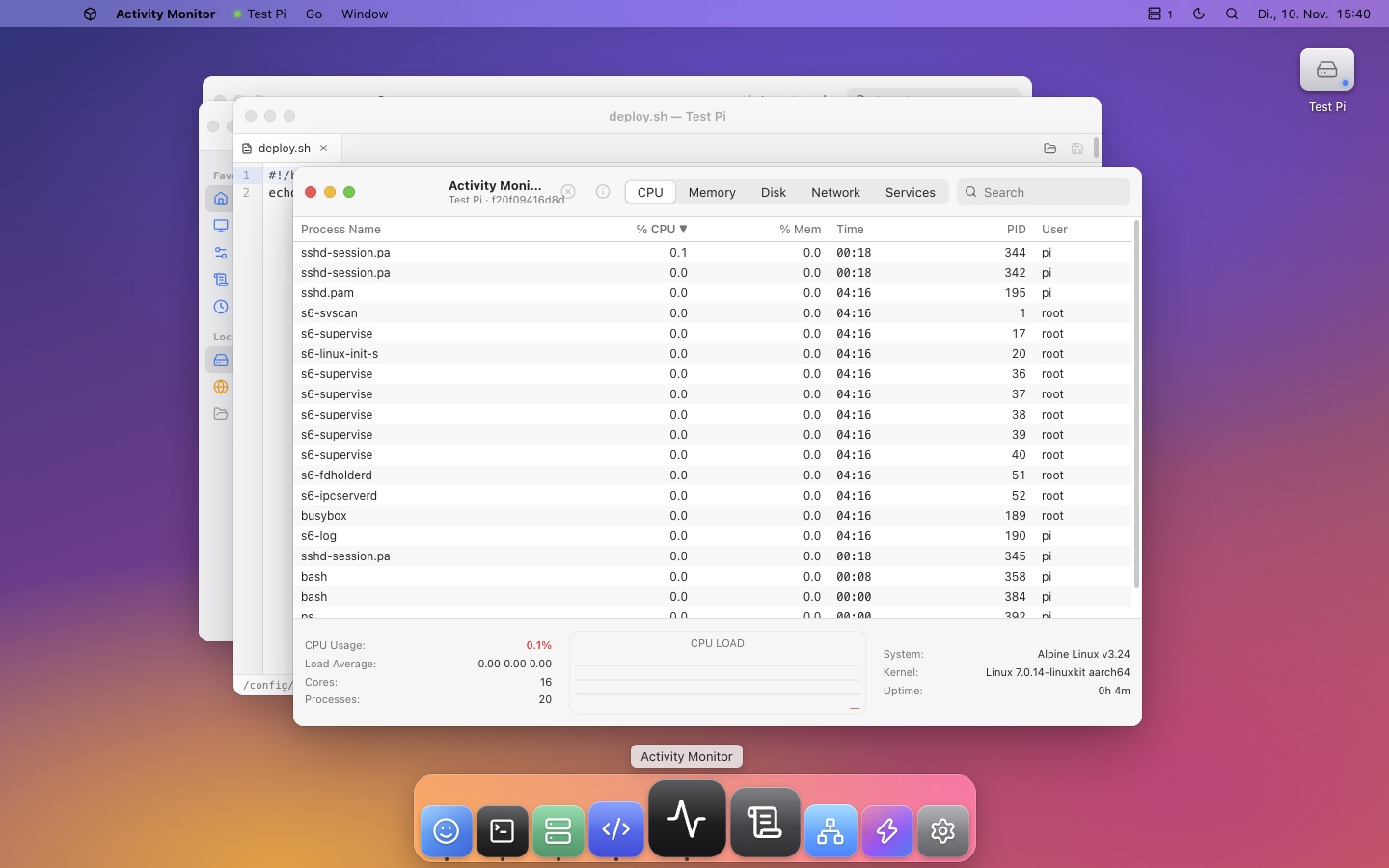
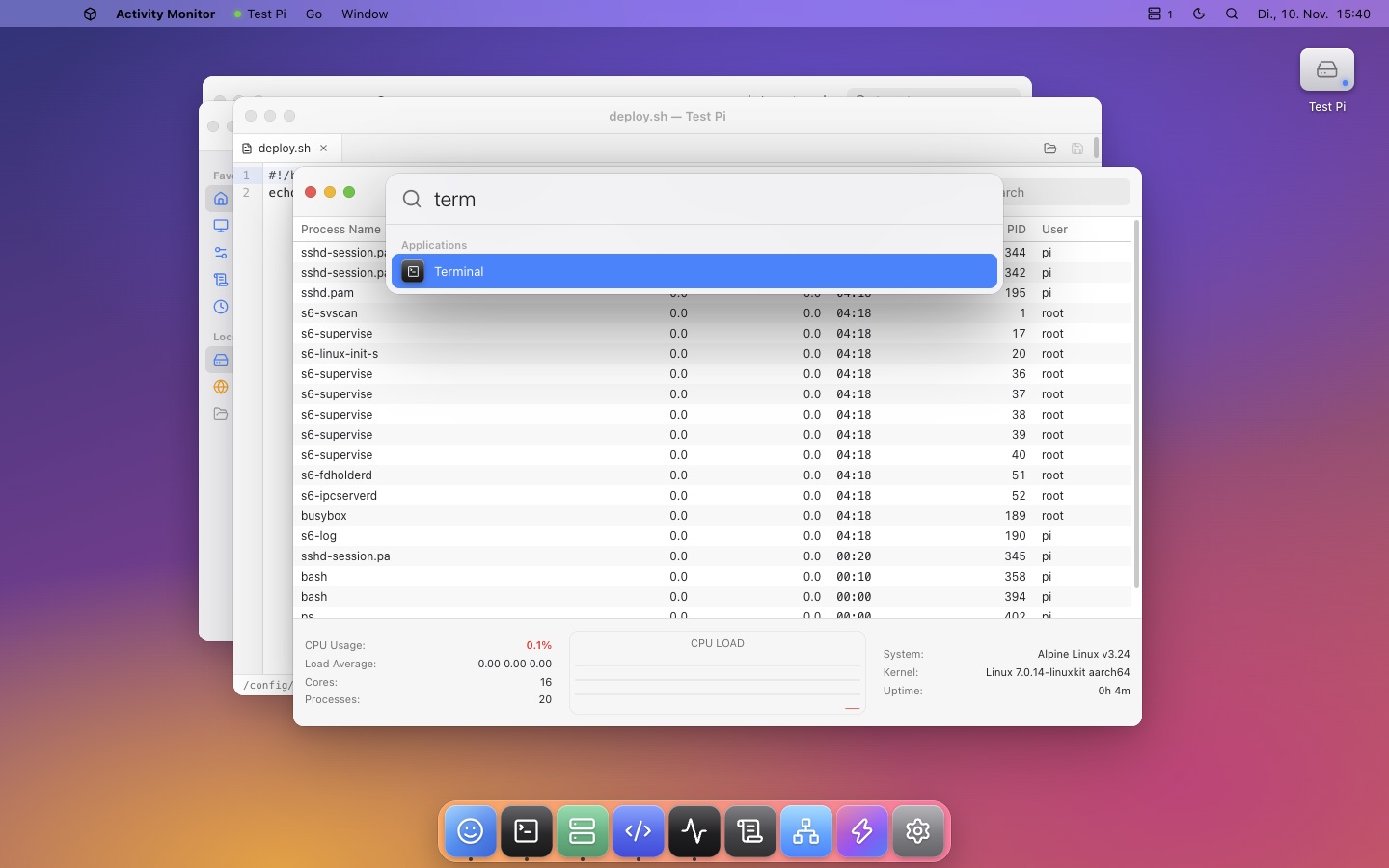
Activity Monitor

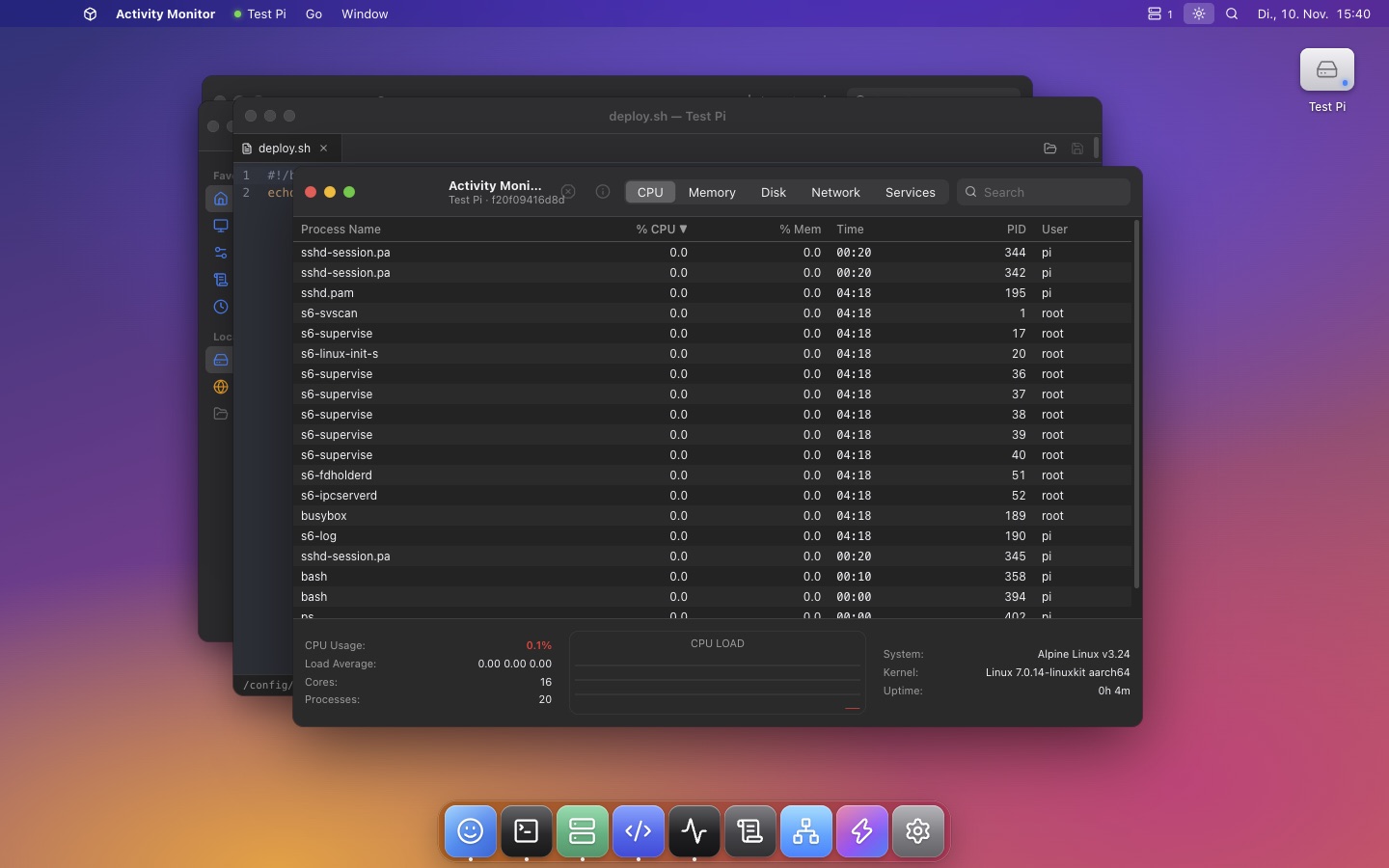
Live CPU, memory, disk and network graphs. Find and quit processes, and start, stop or restart systemd services.

Code Editor

Edit remote files with syntax highlighting for 20+ languages, tabs and ⌘S / Ctrl+S to save.

Console, Network & Shortcuts

Live logs with filtering, ping, traceroute, port scans and DNS lookups run from the server, and one-click saved commands.

Finder for the cloud

Browse a server like your own disk.

  • Column view with previews, plus icon and list views
  • Drag files in from your computer to upload them instantly
  • Copy between servers, even from SSH to FTP
  • Quick Look images, PDFs, video and text with Space
  • Open with the Code Editor or any app on your computer
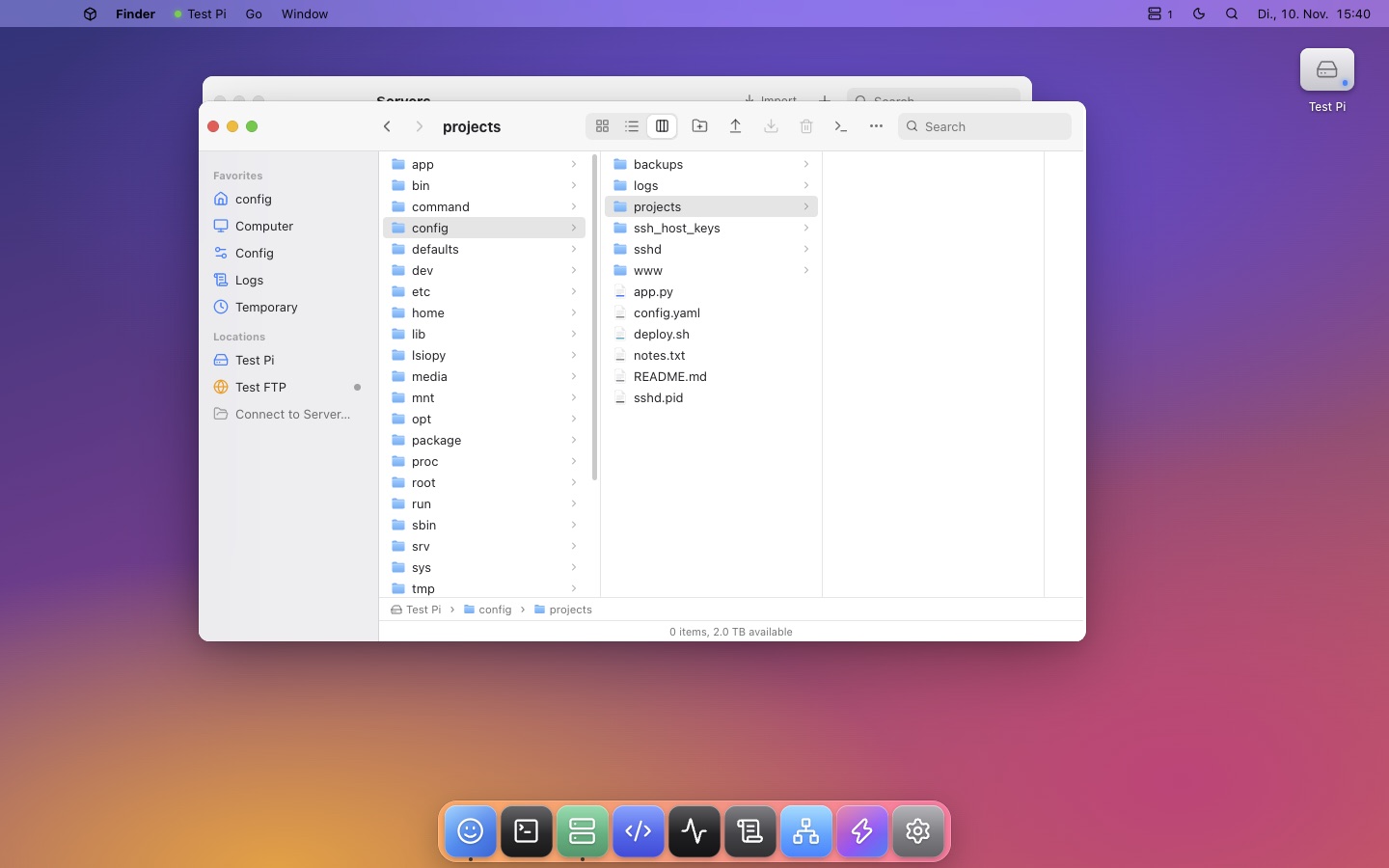
Finder column view
Know what's happening

Activity Monitor, built in.

  • Processes, sortable and searchable, with quit and force quit
  • Systemd services with start, stop, restart and logs
  • CPU, memory and network history graphs
  • Disks with usage at a glance
Activity Monitor
Optional app

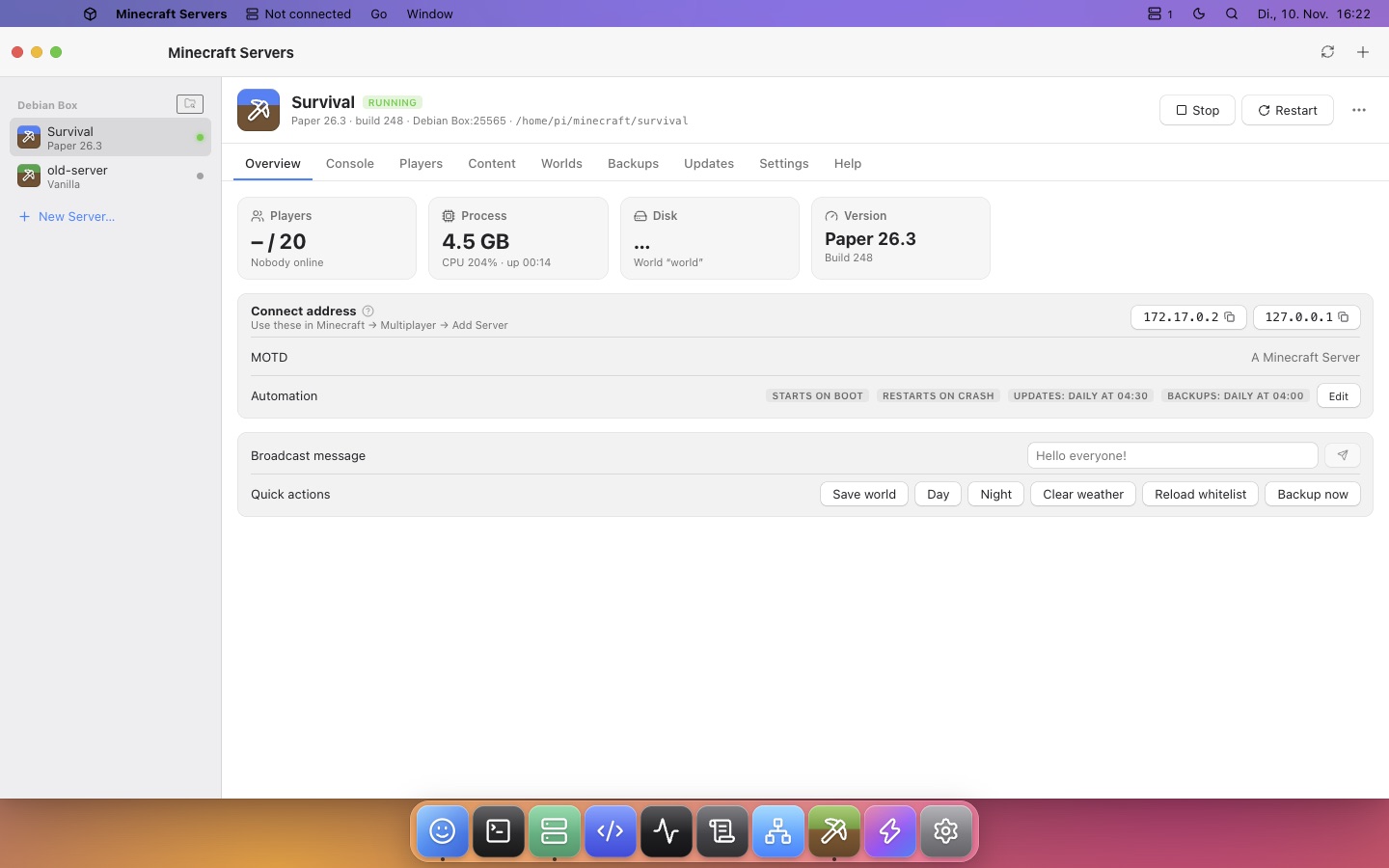
Run Minecraft servers without the command line.

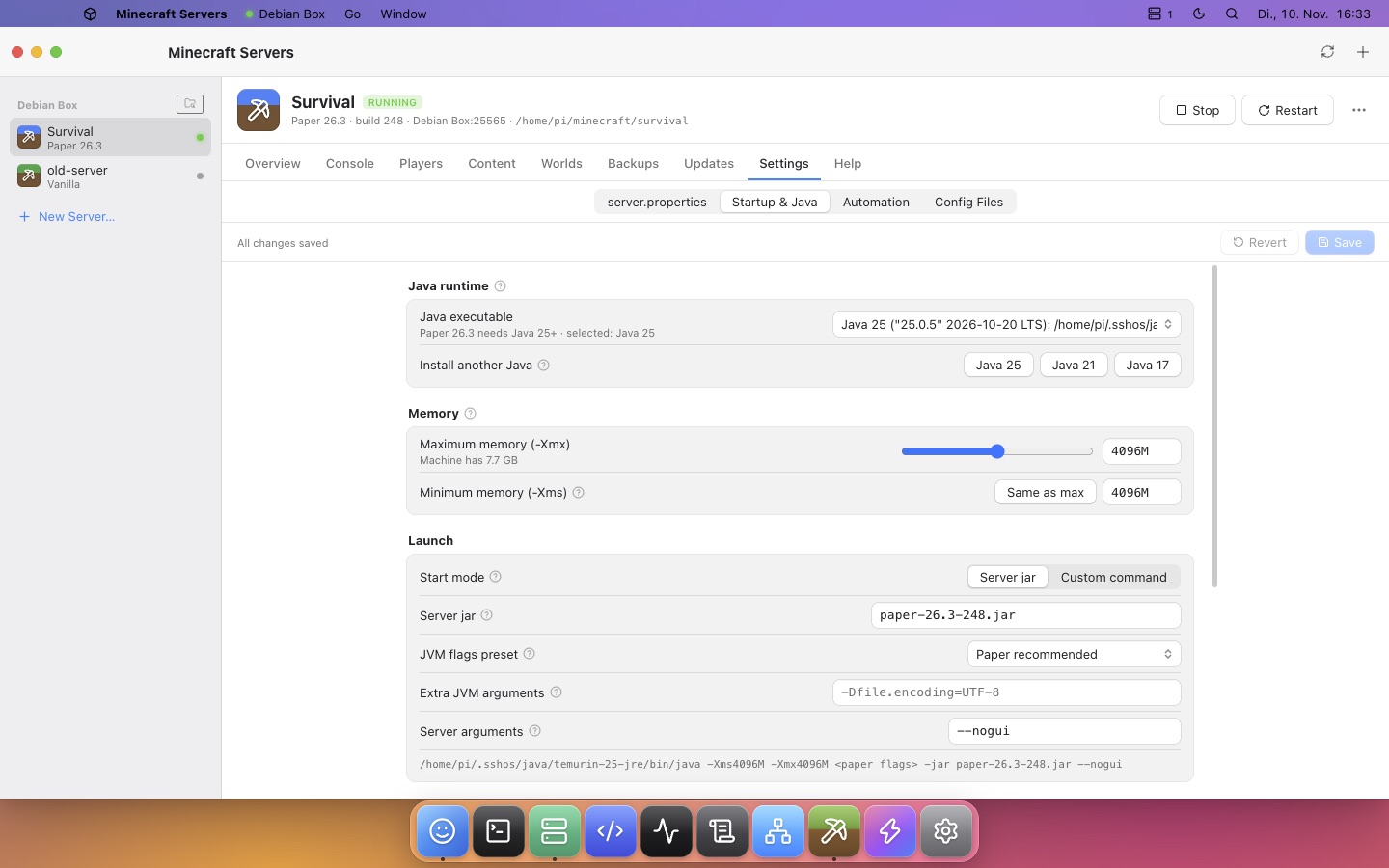
When SSH OS finds a Minecraft server on a machine, the Minecraft Servers app appears in the Dock. You can also create a new server in a few clicks.

PaperPurpurFabricFoliaVanillaModrinthHangarSpigotMC
Minecraft server overview

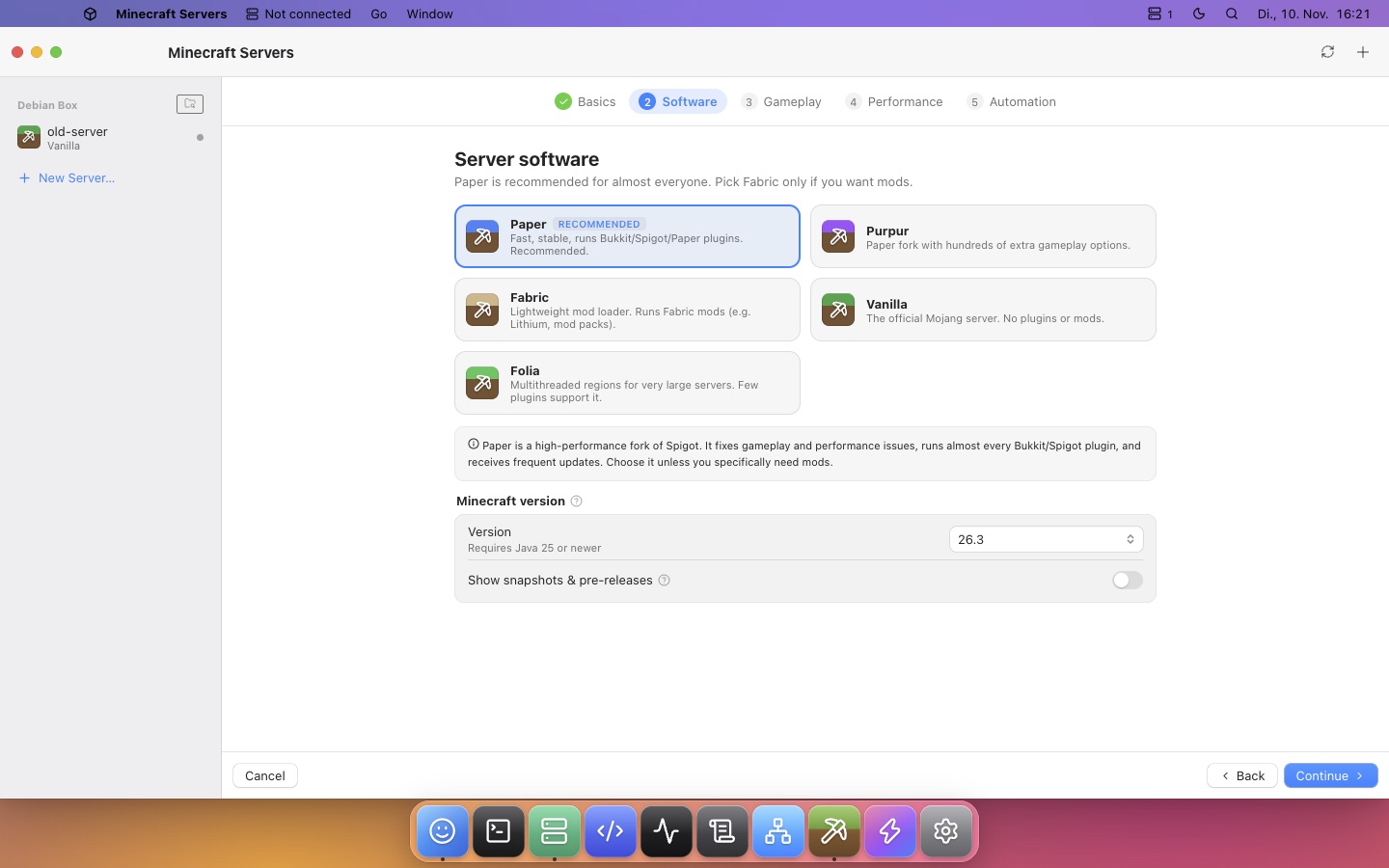
New server wizard

Paper and the newest Minecraft version by default. Pick how many players you expect and SSH OS sizes memory and view distance for your machine. It installs Java for you (no sudo).

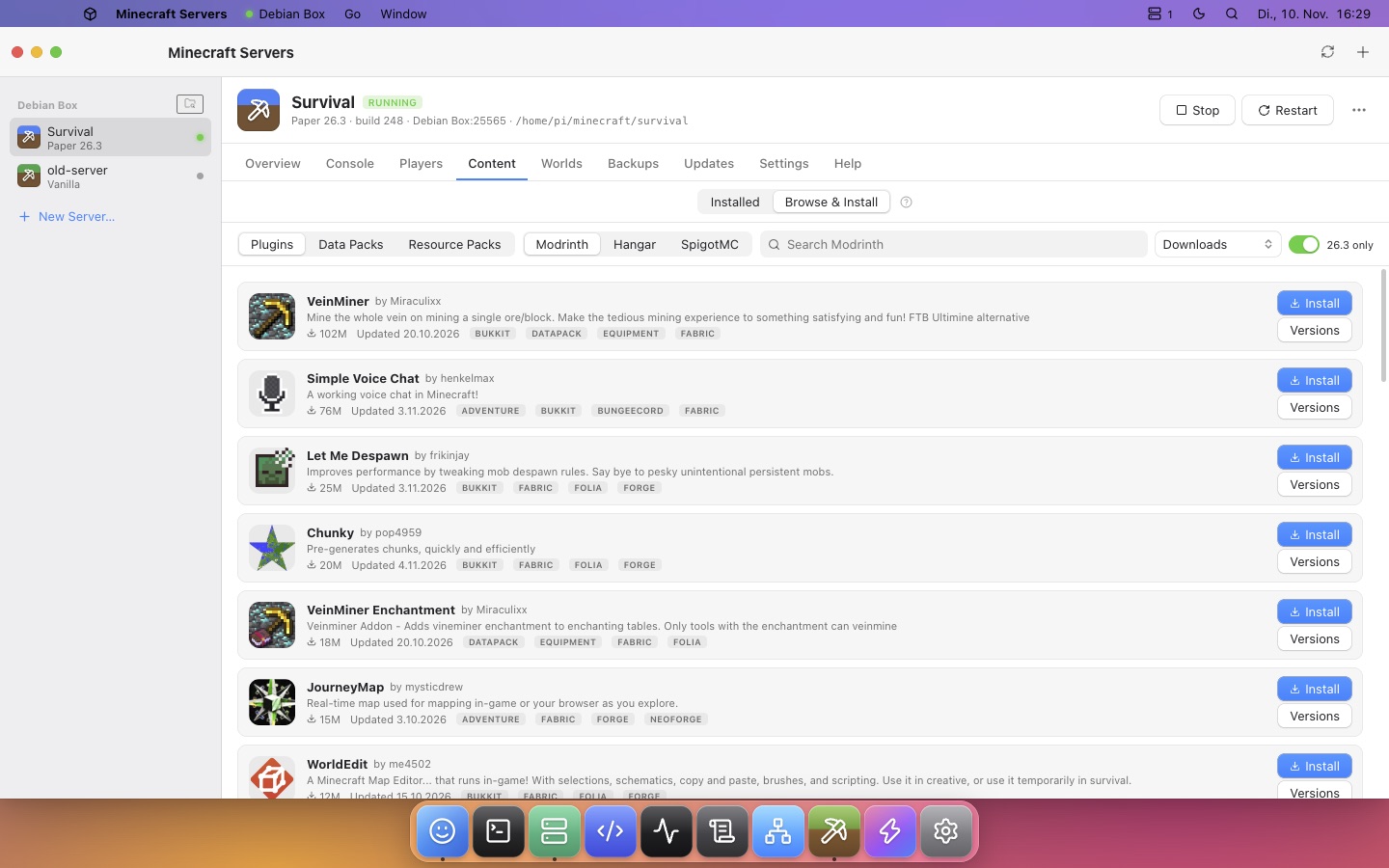
Plugins, mods & packs

Search Modrinth, Hangar and SpigotMC and install with one click. Every add-on is checked against your server version, outdated ones are flagged, updates install in one click, and plugin configs open in the editor.

Automatic updates

Scheduled updates for the server jar and your plugins, even while SSH OS is closed. Old versions are kept so you can roll back.

Every setting, explained

Each server.properties key has a typed editor and a “?” help popover. Also covers Java, JVM flags (Aikar/Paper), game rules and config files.

Backups & restore

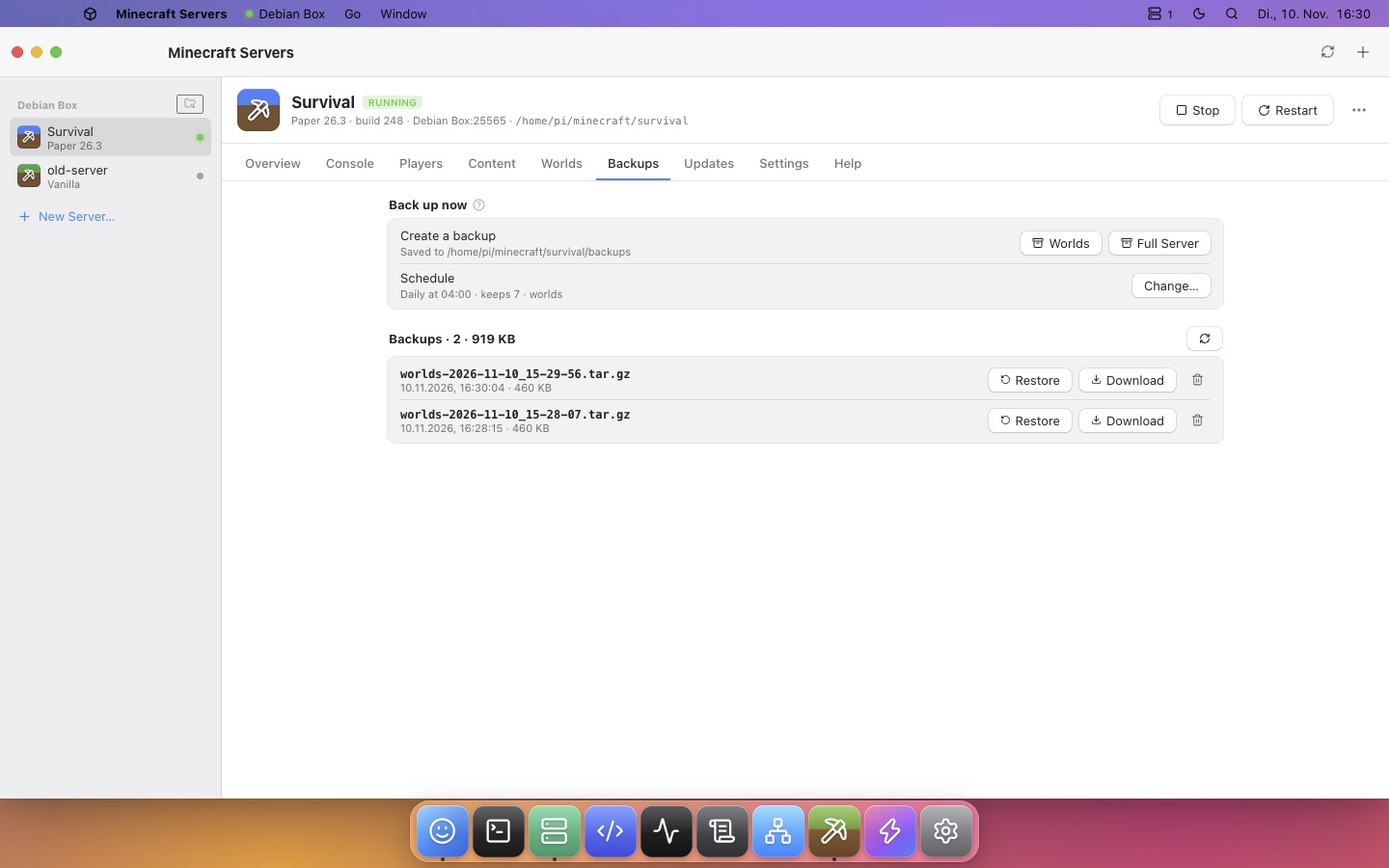
World or full backups on a schedule with retention. Restoring keeps a safety copy of the current files.

Duplicate servers

Copy a server, with or without its worlds, to test updates or plugins. The copy gets its own folder, port and schedules.

Always running

Runs in a background tmux/screen session, restarts after crashes, starts on boot and supports scheduled restarts. Includes a live console with history.

New in 2.1 and 2.2

Terraria servers and Codex, too.

The same one-click setup for Terraria, plus OpenAI's coding agent right on your server.

Terraria servers

TShock, tModLoader or the official server, the newest version installed and verified. Player presets, worlds, every serverconfig.txt setting with help, backups, crash restarts, scheduled restarts and duplicating.

Plugins & mods

TShock plugins from GitHub and tModLoader mods from the Steam Workshop: install, update, enable and edit configs. Plugins and mods built for another version are flagged.

A website for every server

A private HTTPS page for your players: who is online, world details and a zoomable map. Admins also see characters, inventories and the console.

World maps & seeds

Maps drawn from the real world files, seeds to copy and explore, and Terraria world previews with every option: size, difficulty, Corruption or Crimson and secret seeds.

Codex on your server

Install OpenAI's Codex CLI on any server in one click (no sudo, checksum-verified), sign in with ChatGPT or an API key, and open it in any folder from Finder.

Screenshots

Looks right at home.

Light and dark appearance, wallpapers, a Dock with magnification, and Spotlight to jump anywhere.

Free & open source

Download SSH OS

Version 2.0, MIT licensed. Small native app that updates itself, built by GitHub Actions directly from the source.

macOS · Apple Silicon

M1 and newer. macOS 11 or later. About 6 MB.

Download .dmg

macOS · Intel

For Intel Macs. macOS 11 or later. About 6 MB.

Download .dmg

Windows

Windows 10 and 11, 64-bit. Also runs on Windows on ARM.

Download installer

First launch on Mac

The app is not notarized by Apple yet. Open the .dmg, drag SSH OS to Applications, then right-click → Open and confirm. If macOS says it is damaged, run xattr -cr "/Applications/SSH OS.app".

First launch on Windows

The installer is not code-signed yet, so SmartScreen may warn you. Click More info → Run anyway.

Add a server

Enter an address and username, or import from ~/.ssh/config. Connect, and the server appears on your desktop like a drive.